Know the whole job before you quote it.
AI video surveys and job management, built for moving companies. Your customer or site contact records the home, office or move site from their phone. You get a structured Move Report with inventory, cubic feet, estimated weight, special items and access at both ends — price it on your own rates, schedule the job, and assign the crew from the same record. One system, and nothing retyped.
From a customer link to a booked crew.
Four steps. Your customer does two of them.
You send the link.
They record their home.
They confirm the inventory.
You quote and book.
- Your customer surveys their own home, from a browser. No app to install.
- Your customer confirms the inventory before it reaches you.
- Estimates build from your rates, not ours.
Built for the way a moving company already runs.
One platform, used differently depending on who is signed in.
Residential and commercial movers
Houses and apartments, and the contents of offices and small commercial sites. Local, long-distance and interstate, surveyed remotely and quoted from your rates.
Estimating and sales desks
Reports, estimates, versions and your rate card in one place.
Operations and dispatch
Scheduling, crew assignment and roles, and a checklist for before, during and after the move.
Owners
Analytics on requests, reports, estimates and scheduled moves, plus what an average move looks like for your company.
The survey stops being the bottleneck.
None of this is about doing less work. It is about knowing the job earlier, and not collecting the same information three times.
Understand the move earlier
The volume, the access and the special items arrive before the first real conversation, not after a site visit.
Stop collecting by hand
The customer enters their own home once. Nobody retypes it into a cube sheet.
Estimate faster
The report feeds the estimate directly, priced on your rate card, with the crew size and minimum hours you set.
Give sales something to work with
Your desk opens a record with the inventory, the access and the dates already on it.
Fewer surprises on the day
Stairs, parking, long walks and the piano are on the report before the truck is loaded, for both addresses.
Move on opportunities sooner
The dashboard shows what is waiting on a customer and what is waiting on you, so nothing sits.
A Move Report you can quote from.
One structured document per move, ready when the customer finishes. These are its actual sections.
- Move overview
- Inventory by space
- Large and special items
- Access at both ends
Move overview
The move at a glance, with total volume in cubic feet and estimated weight.
Room-by-room inventory
Every item by space, with quantity and category. The platform labels it “everything the customer approved”, because they confirmed it before you saw it.
Large and special items
Pianos, safes, and anything else that changes the crew, the truck, or the day.
Access information
Stairs, elevator, long walk and parking, captured for both ends of the move. Where a customer was unsure it says “Not confirmed” rather than assuming.
What to consider
Preparation guidance drawn from the move. The platform labels it guidance, not a quote.
Preparation notes
Anything the customer told you, in their own words.

Share the report so anyone signed in to your company can open it, export it to PDF for the job file, or turn it straight into an estimate. If a customer sends more after you have read it, the report is marked Updated rather than quietly changed.
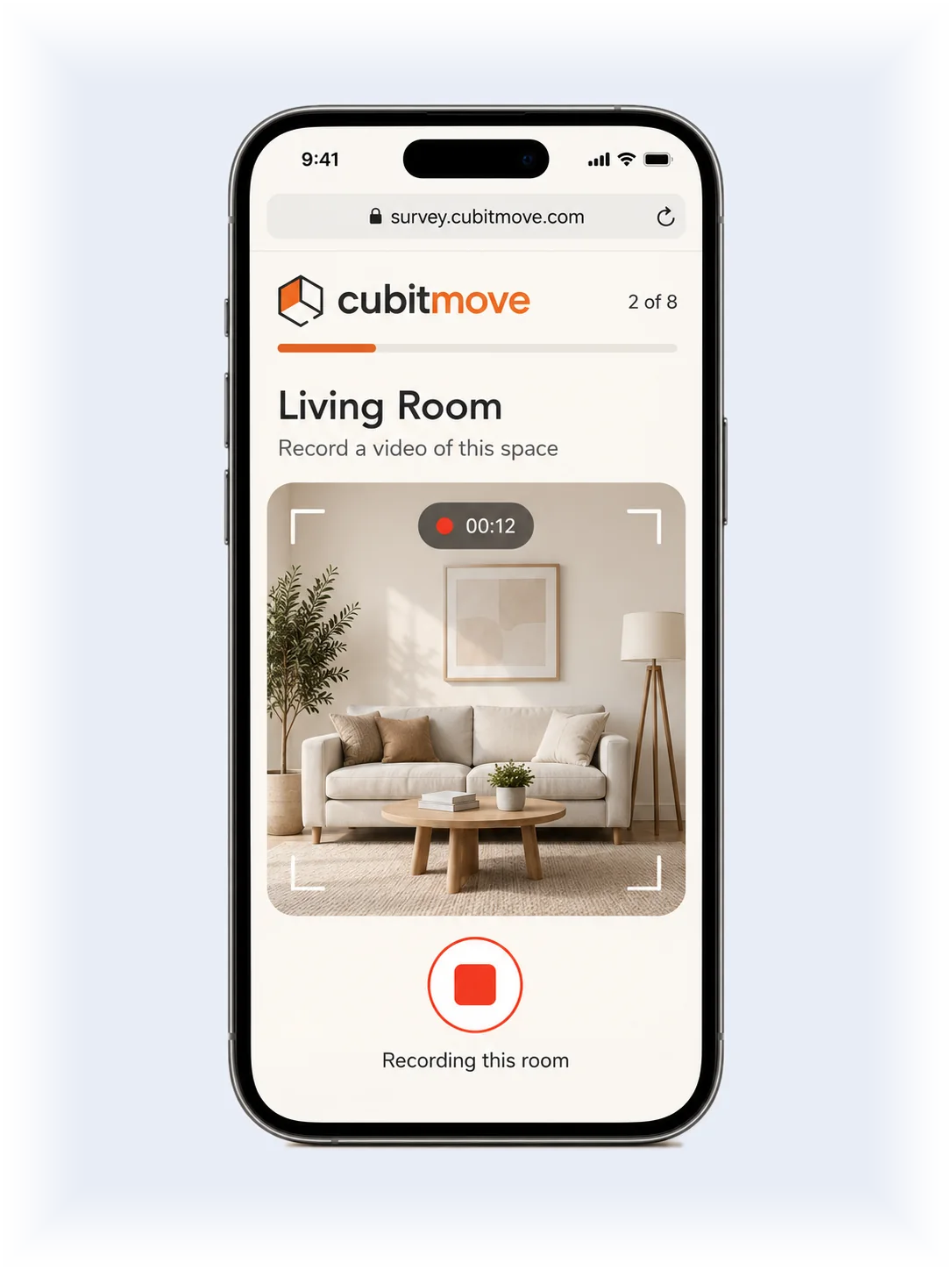
Survey
Your customer does the walkthrough on their own phone.
Opens in the browser they already have — no app, no appointment.
One space at a time, in their own words.
They see the inventory back, with anything uncertain marked Not confirmed.
They fix quantities, add what’s missed, and flag large or special items.
- Survey
- Report
- Estimate
- Schedule
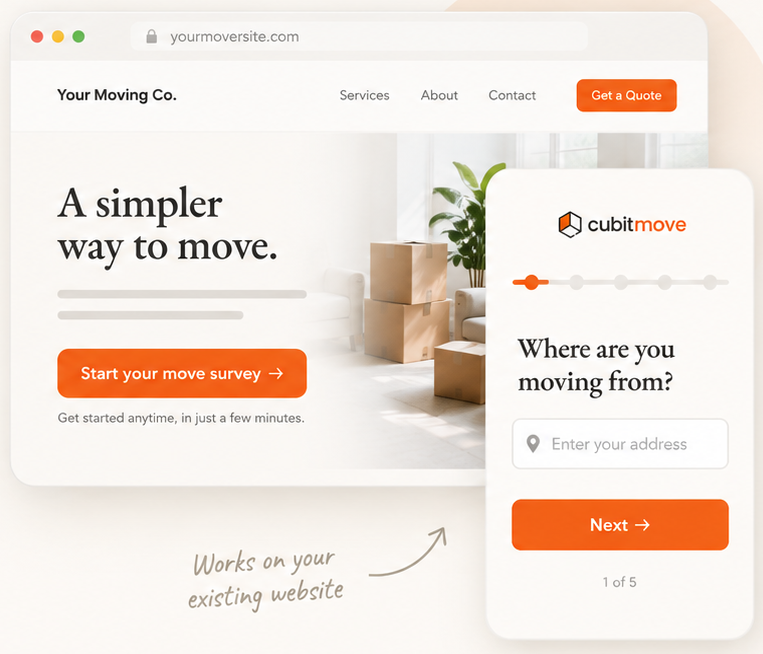
Channel
Let a visitor start a survey without waiting for a callback.
This is an extra way to collect surveys, not the product. Most movers start by texting the link to leads they already have.
Add a “Start your move survey” button to the site you already run. A visitor can begin the walkthrough there and then, including outside office hours, and it arrives in Move Requests like any other survey.
It is a plain link, so it works on whatever your site is built with, with no plugin and no developer.
Run your next 5 reports free.
No card required. Use your own rates. Get started in minutes.
- No card required
- Use your own rates
- Get started in minutes
Team Plans
Simple monthly pricing
For moving companies running surveys every week.
What’s included
- Browser survey, no app for your customers
- A “Start your move survey” button for your own website
- Inventory by space with cubic feet and estimated weight
- Access capture at both ends: stairs, elevator, long walk, parking, special items
- Estimates priced on your own rate card, with versions
- Scheduling and crew assignment for each move
- PDF export for the job file
Get pricingHide pricing
- Starter · 30 reports a month$89 /mo
- Pro · 90 reports a month$199 /mo
Need a custom plan? Talk to us.
What movers ask first.
What is CubitMove?
CubitMove is an AI video survey and job management platform for professional moving companies. Your customer or site contact records the space from their phone, and you get a structured Move Report with inventory by space, cubic feet, estimated weight, special items and access at both ends of the move. You build the estimate on your own rates, then schedule the job and assign the crew.
What is an AI video survey?
An AI video survey is a pre-move survey the customer records on their own phone, which software converts into a structured inventory rather than a video someone has to watch. The software identifies the items, sizes them against standard cube sheet volumes, and produces a report the estimator reviews and prices.
Does CubitMove work for commercial moves and office relocations?
For the contents, yes — a site contact films each area and the survey returns an itemized inventory with cubic feet, estimated weight and access. It does not yet capture loading dock access, freight elevator reservations, certificates of insurance or a floor-by-floor structure, so the building side of a commercial move still runs on your own process.
Do my customers have to download an app?
No. The survey opens in the browser they already have, from a link you send by email or text.
Who checks the inventory before I see it?
Your customer confirms it. They review what was found, correct quantities, add anything missed, and flag large items. Anything uncertain is marked “Not confirmed” rather than guessed.
Does CubitMove price the move?
No. It suggests an estimate from the rate card you set up, and you decide the final number. CubitMove never shows a price to your customer.
Can I use my own rates?
Yes. Set them by labor, truck, distance, service and charges, priced by hour, day, mile, item, each, flat or percent. You can set crew size and a minimum billable time, and have a rate suggest itself when it applies.
Does it handle move day?
It schedules the move, assigns the crew and their roles, and gives each move a checklist for before, during and after. It does not compare the estimate against what actually happened after the move.
What does CubitMove cost?
Your first 5 Move Reports are free. After that there are two plans that differ only in volume: $89 a month for 30 Move Reports, or $199 a month for 90. On either plan, each report beyond the allowance is $3.50 until your next billing cycle.
Is CubitMove a moving company or a broker?
Neither. CubitMove is software sold to moving companies. We do not move household goods, we do not arrange or resell moves, and we do not operate a lead marketplace.
The next step
See it on one of your own jobs.
The fastest way to judge CubitMove is to run a move you have already completed through it and compare the report against your own invoice.